
OXVA XLIM Auto Draw Not Working?
If your OXVA XLIM only works with the button, will not fire when you inhale, or feels like the draw sensor has stopped, start with airflow, pod contacts, condensation and pod fit before assuming the device is broken.
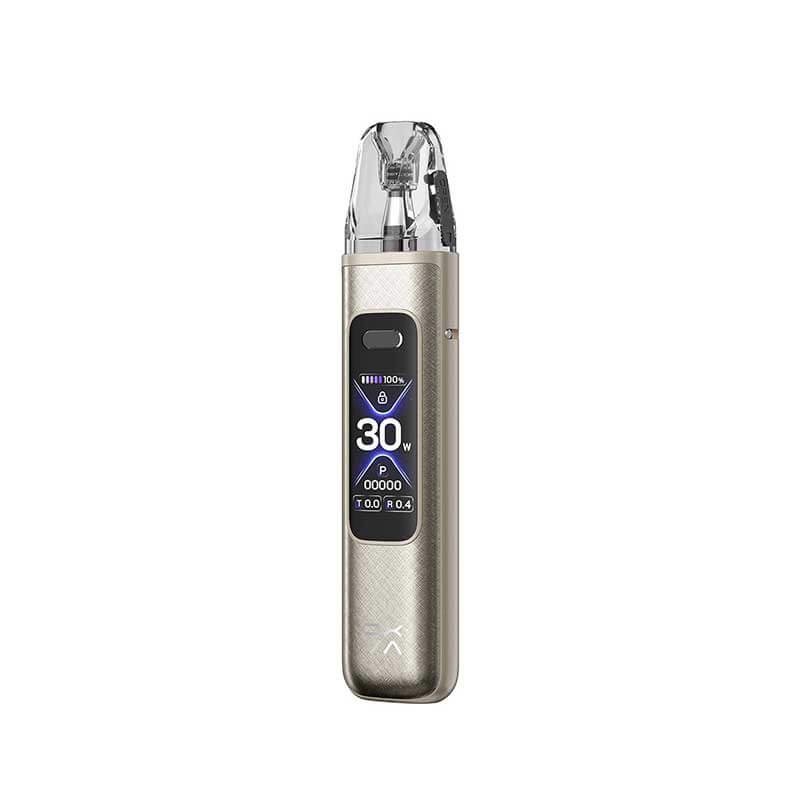
Quick answer
If OXVA XLIM auto draw is not working, remove the pod, clean the bottom of the cartridge and the contact pins, clear any condensation, refit the pod firmly and try drawing with airflow partly closed. If button firing still works but auto draw does not, the issue is usually airflow, sensor contamination or pod fit.
- Button works, auto draw does not: check airflow and clean condensation near the pod port.
- Nothing works: check charge, lock mode, pod contact and power state.
- Only works with a new pod: the old pod was probably worn, flooded or not making clean contact.
- Still dead after cleaning: use the warranty/support route or compare a replacement device.
This post is deliberately narrower than the general OXVA vape not working guide. It focuses only on inhale activation, because auto draw problems often have different causes from lock mode, charging or screen faults.
Airflow too open
Some draw sensors need enough pull through the pod to activate consistently.
Condensation near sensor
Liquid or condensation around the pod port can stop clean sensor detection.
Pod contact issue
A loose, dirty or ageing pod can break the signal even if the device still powers on.
1. Close the airflow halfway and test again
Start simple. If airflow is fully open, close it to about halfway and take a slow, steady draw. Auto draw sensors respond to airflow movement, so an extremely loose draw can feel less responsive on some setups.
If the device has button firing, test both modes. If button firing works and inhale firing does not, the battery and coil are probably not the first problem.
2. Clean the cartridge base and contact pins
OXVA’s own FAQ recommends cleaning the bottom contact of the cartridge and the electrode contact pins on the pod port when auto draw is not working. Use tissue or a cotton bud, and let the area dry before refitting the pod.
Look for liquid around the base of the pod. A tiny amount of condensation can be enough to make auto draw unreliable, especially after gurgling or leaking.
3. Check whether the device is locked or powered off
Some XLIM models can be locked, powered off or set in ways that confuse users who expect inhale activation. If the screen, light or button sequence looks wrong, check the specific manual for your model.
Use the OXVA manuals hub if you are not sure which button sequence your device uses. If the issue is the lock function, the XLIM Pro lock guide is the better page.
4. Try a fresh compatible pod
If cleaning does not help, test a fresh pod. A worn or flooded pod can affect both contact detection and airflow feel. This is also the quickest way to separate a pod issue from a device issue.
Use OXVA Pod Compatibility Matrix UK if you are not completely sure which replacement fits your device.
| What happens | Likely cause | Best next step |
|---|---|---|
| Button fires, auto draw does not | Airflow/sensor issue, condensation or pod fit | Close airflow halfway, clean contacts and refit pod |
| Auto draw works only sometimes | Moisture, loose pod or weak sensor signal | Clean and test with a fresh pod |
| Neither button nor auto draw works | Flat battery, lock mode, no atomizer or dead pod | Charge, unlock and check pod detection |
| New pod fixes it | Old pod was worn, flooded or not detected cleanly | Replace the pod and watch for leaking or gurgling |
Recommended next step
If auto draw fails after cleaning but the device still charges and powers on, test with a fresh compatible pod before buying a new kit. If multiple fresh pods fail, the sensor may need support or replacement.
Affiliate disclosure: buying buttons may use tracked Vapestore affiliate routes. Troubleshooting advice is practical device help, not medical advice.
When to use another guide instead
- If the screen says no atomizer or check pod, use the no atomizer guide.
- If the device will not charge, use Why Is My OXVA Vape Not Charging?
- If the problem is weak flavour, use Why Does My OXVA XLIM Taste Weak?
- If the pod is leaking into the contacts, use Why Is My OXVA Leaking?
OXVA XLIM auto draw FAQs
Why does my OXVA XLIM button work but auto draw does not?
The device can still power the coil while the draw sensor struggles. Clean the pod contacts, check condensation and test with airflow partly closed.
Can condensation stop auto draw?
Yes. Liquid or condensation near the pod port can interfere with sensor behaviour. Remove the pod, wipe the base and let the area dry.
Will a new pod fix auto draw?
It can. If the old pod is worn, flooded or not sitting cleanly, a fresh compatible pod may restore normal draw activation.
Does auto draw not working mean the device is faulty?
Not always. Clean and test with another pod first. If several fresh pods fail and the button still works, the sensor may need support.
Sources and notes
This guide uses OXVA’s official FAQ guidance on auto draw, pod contacts and airflow checks, plus OXVA Vapes UK support clustering around not-working, unlock, pod contact and replacement-pod queries. It is for adult UK vape users only.
STILL HAVE A QUESTION?
Our community is active in the XLIM Help Forum - get a real answer from real OXVA users.
Genuine XLIM replacement pods at Vapestore
A blocked or worn pod is the most common cause of auto-draw failure. Official UK stockist. 18+ only.
Still not sorted? Ask in the community
Real OXVA users answer questions every day in our community forum - device issues, pod advice, liquid recommendations and more. Post your question and get a reply from someone who's had the same problem.