
: :
: : : : :
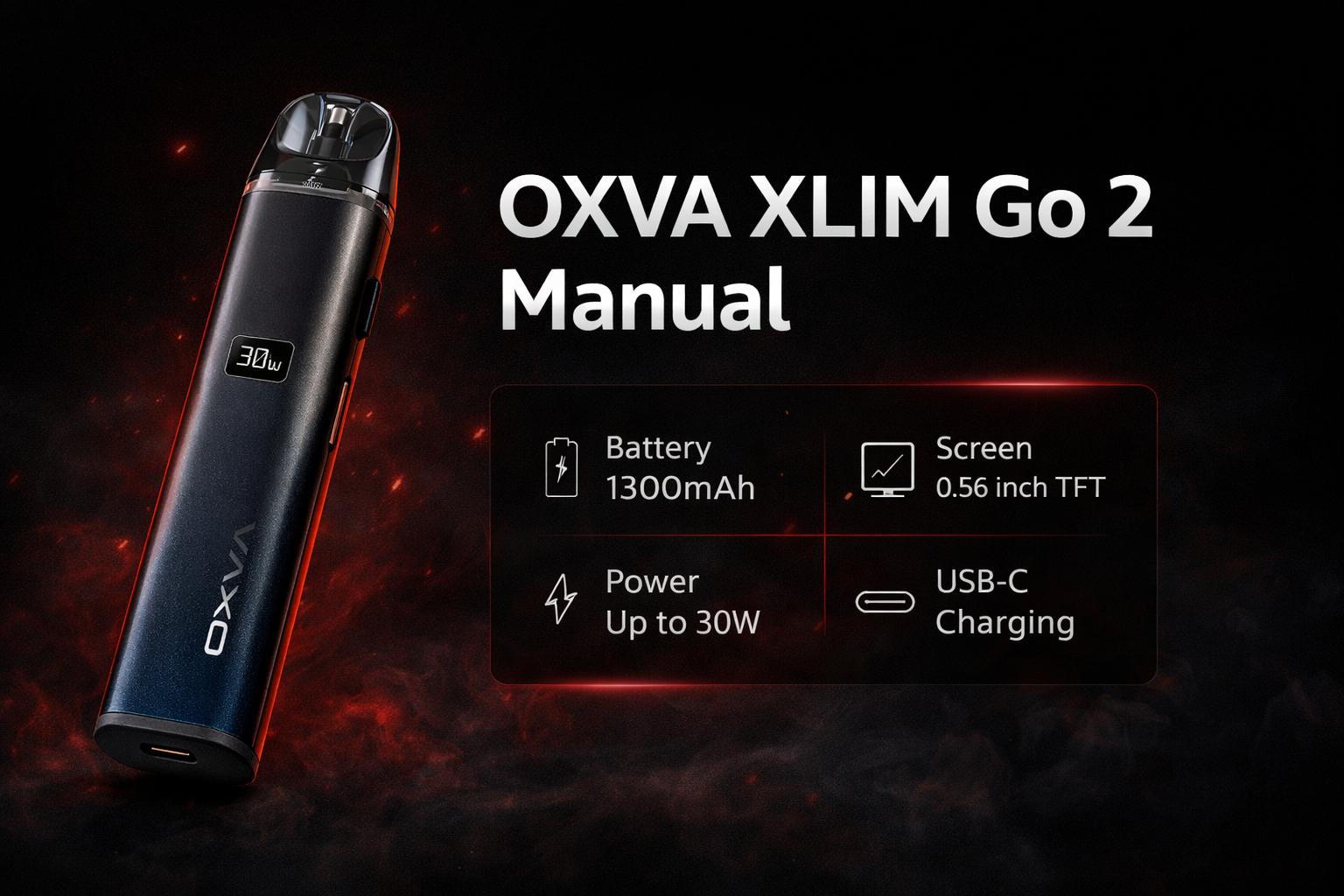
OXVA XLIM Go 2 manual and user guide
: : : : :
: : : : : : Looking for the XLIM Go 2 instructions? This page gives you the main controls, setup steps, LED meanings and quick answers in one place, so you can find what you need faster without squinting at the leaflet.
: : : : :
: : : : :
: : : : : : It covers how auto-draw works, how to adjust the power, how to fill a new pod properly, what the indicator lights mean, and the key specs that matter most in everyday use.
: : : : :
: : : : : : Shop XLIM Go 2
: : : : : : Open XLIM Pod Guide
: : : : :
: : : : : : If you only need the essentials, start with the controls, filling steps and LED prompts below.
: : : : :
: : : : : : Manuals Hub
: : : : : : Pod Compatibility
: : : : : : Troubleshooting
: : : : : : Power Help
: : : : : : 
: : : : : : : Main controls
: : : : : : :
-
: : : : : : : :
- Auto-draw to vape
- 3 clicks power change
- Wait 5-8 mins after fill
- LED prompts for warnings
: : : : : : : :
: : : : : : : :
: : : : : : : :
: : : : : : :
: : : : : Setup made simpler
: : : : : Power control explained
: : : : : LED prompts explained
: : : : : Key specs at a glance
: :
Quick fix: check pod fit and liquid style before changing anything
Go 2 is straightforward, but poor draw, weak vapour, or muted flavour usually comes from a pod fit or wear issue first. Resolve those before considering a full device replacement.
- Reload using the official Go 2 setup flow
- Use a correctly paired XLIM pod and seal
- Test a top-fill pod-friendly liquid at a moderate strength
- Replace pods only if repeated weak draw or leaking persists
: :
Quick answer: the main XLIM Go 2 controls
: : : :
: : : : : These are the controls most people want first.
: : : :
: : : : :
Vape
: : : : :
The manual lists auto-draw vaping, so you inhale from the mouthpiece to use it.
: : : : :
Adjust power
: : : : :
Press the button three times within 2 seconds to set your preferred power.
: : : : :
Fill the pod
: : : : :
Fill the e-liquid into the cartridge and close it again as soon as possible.
: : : : :
Prime a new pod
: : : : :
After filling a new pod, wait at least 5 to 8 minutes before vaping.
: : : : Quick answer: inhale to vape, press the button 3 times to change power, and always let a fresh pod sit for 5 to 8 minutes before using it.
: :
: :
OXVA XLIM Go 2 specifications
: : : :
: : : : : These are the main details listed in the manual.
: : : :
: : : : : Size
: : : : : 117.4 × 26.4 × 15.0mm
: : : : :
Slim pod device with a rounded body shape.
: : : : : Pod Capacity
: : : : : 3ml / 2ml
: : : : :
The manual lists both regional pod versions.
: : : : : Maximum Power
: : : : : Up to 30W
: : : : :
Manual-listed maximum output of 30 watts.
: : : : : Output Voltage
: : : : : 3.2-4.35V
: : : : :
The manual lists this voltage range.
: : : : : Battery
: : : : : Built-in 1500mAh
: : : : :
The manual lists a built-in 1500mAh battery.
: : : : : Charging
: : : : : Type-C 5V/2A
: : : : :
USB-C charging through the port on the base of the device.
: : : : : Resistance Range
: : : : : 0.33-3.0Ω
: : : : :
Manual-listed supported resistance range.
: : : : : Activation
: : : : : Auto-draw
: : : : :
The manual lists auto-draw vaping rather than fire-button vaping.
: :
: :
What is on the XLIM Go 2 device
: : : :
: : : : : These are the main parts shown in the manual.
: : : :
: : : : :
Cartridge
: : : : :
The refillable pod section at the top of the device.
: : : : :
LED
: : : : :
The indicator light gives warning and usage prompts.
: : : : :
USB-C Port
: : : : :
Used for charging the built-in battery.
: : : : :
Button
: : : : :
Used for power adjustment according to the manual.
: : : : :
Airflow Adjustment Valve
: : : : :
The manual shows an airflow adjustment control on the body.
: : : : :
Device Body
: : : : :
Main housing for the battery and controls.
: : : : :
Pod Connection Area
: : : : :
The fit here matters for normal day-to-day use.
: : : : :
Base Charging Area
: : : : :
The charging port sits at the bottom of the device.
: :
: :
How to fill and prime the XLIM Go 2 properly
: : : :
: : : : : A rushed first fill is one of the easiest ways to spoil a new pod.
: : : :
: : : : :
Best filling routine
: : : : :
-
: : : : : :
- Fill the e-liquid into the cartridge carefully
- After filling a new pod, leave it for at least 5 to 8 minutes
- Only then start vaping
- Close the pod as soon as possible after filling
- Take it gently on the first few puffs
: : : : : :
: : : : : :
: : : : : :
: : : : : :
: : : : :
: : : : :
Why this helps
: : : : :
-
: : : : : :
- Not waiting long enough can lead to a poor first vape
- Leaving the fill point open too long can increase leaking risk
- People often blame the device when the real issue is poor priming
- A little patience usually gives a much better first experience
: : : : : :
: : : : : :
: : : : : :
: : : : :
: : : : The most useful filling tip is simple: after filling a new pod, wait at least 5 to 8 minutes before using it.
: :
: :
LED prompts on the XLIM Go 2
: : : :
: : : : : These are the main light meanings listed in the manual.
: : : :
: : : : :
Blue light
: : : : :
-
: : : : : :
- If the vape lasts over 8 seconds, the blue light flashes 3 times
- The device then stops working until the draw ends
: : : : : :
: : : : :
: : : : :
Red light warnings
: : : : :
-
: : : : : :
- High Temperature: red light flashes 5 times and the device stops working
- Low Battery: red light flashes 10 times
- Short Circuit: red light flashes 3 times
: : : : : :
: : : : : :
: : : : :
: : : : If the XLIM Go 2 is flashing red, check whether the issue is temperature, battery level or a short warning before carrying on.
: :
: :
Important safety points
: : : :
: : : : : These are the simple habits worth keeping in mind from the manual.
: : : :
: : : : :
Good habits
: : : : :
-
: : : : : :
- Use the correct Type-C charging setup
- Keep the device away from inflammable and explosive materials
- Check the pod is fitted properly before using it
- Use the device in normal working condition
: : : : : :
: : : : : :
: : : : : :
: : : : :
: : : : :
Do not ignore
: : : : :
-
: : : : : :
- Do not leave the device unattended while charging
- Do not ignore repeated red light warnings
- Do not carry on as normal if the pod fit feels wrong
- Do not rush a freshly filled pod
: : : : : :
: : : : : :
: : : : : :
: : : : :
: :
: :
OXVA XLIM Go 2 manual FAQ
: : : : :
Quick answers to the most common XLIM Go 2 setup, controls and usage questions.
: : : : : :
How do I use the OXVA XLIM Go 2?
: : : : : :
The manual lists auto-draw vaping, so you inhale from the mouthpiece to use the device.
: : : : : :
How do I adjust the power on the XLIM Go 2?
: : : : : :
Press the button three times within 2 seconds to adjust your preferred power.
: : : : : :
How long should I wait after filling a new XLIM Go 2 pod?
: : : : : :
Wait at least 5 to 8 minutes before vaping on a newly filled pod.
: : : : : :
What pod capacity does the XLIM Go 2 manual list?
: : : : : :
The manual lists 3ml and 2ml versions depending on region.
: : : : : :
What is the battery size of the OXVA XLIM Go 2?
: : : : : :
The manual lists a built-in 1500mAh battery.
: : : : : :
What is the maximum power of the XLIM Go 2?
: : : : : :
The manual lists a maximum output of 30W.
: : : : : :
What charging type does the XLIM Go 2 use?
: : : : : :
The manual lists Type-C charging at 5V/2A.
: : : : : :
What resistance range does the XLIM Go 2 support?
: : : : : :
The manual lists a resistance range of 0.33Ω to 3.0Ω.
: : : : : :
Does the XLIM Go 2 have airflow adjustment?
: : : : : :
Yes. The manual shows an airflow adjustment valve on the device.
: : : : : :
What does the blue light mean on the XLIM Go 2?
: : : : : :
The manual lists the blue light flashing 3 times when the vape exceeds 8 seconds and the device stops working.
: : : : : :
What does the red light mean on the XLIM Go 2?
: : : : : :
The manual lists red light prompts for high temperature, low battery and short circuit warnings.
: : : : : :
What does the high temperature warning mean?
: : : : : :
The manual says the red light flashes 5 times and the device stops working when the temperature is too high.
: : : : : :
What does the low battery warning mean?
: : : : : :
The manual says the red light flashes 10 times when the battery is low.
: : : : : :
What does the short circuit warning mean?
: : : : : :
The manual says the red light flashes 3 times for a short circuit warning.
: : : : : :
What should I do if the XLIM Go 2 pod is fitting badly?
: : : : : :
Check that the pod is seated properly and do not force it. If it still feels wrong, inspect the pod and connection before carrying on.
: : : : : :
Should I leave the XLIM Go 2 charging unattended?
: : : : : :
No. The manual says not to leave the device unattended while charging.
: : : : : :
What should I do if the device keeps flashing warnings?
: : : : : :
Check the pod fit, battery level and overall device condition before using it again as normal.
: : : : : :
Do I still need the full PDF manual?
: : : : : :
For everyday questions like setup, power adjustment, filling and LED warnings, the steps above usually give you the fastest answer.
: : : : :
Once the basics are sorted, choose the guide that matches your next question
: : : : :
: : : : : : Most people next need help with pod choice, troubleshooting or power advice, so those guides are the best follow-up once the main controls are clear.
: : : : :
: : : : : : Open XLIM Pod Guide
: : : : : : Open Troubleshooting
: : : : : : Open Manuals Hub
: : : : : The answers above are based on the XLIM Go 2 manual and rewritten to make the device easier to use day to day.
: :
XLIM Go 2 replacement pods at Vapestore
XLIM Go 2 uses XLIM V3 top-fill pods. Official UK stockist. 18+ only.