
: :
: : : : :
OXVA VPrime Manual: Setup, Controls and Troubleshooting
: : : : :
: : : : : : Looking for the VPrime instructions? This page brings together the main controls, filling advice, screen prompts and everyday answers in one place, so you can get started faster without hunting through the folded manual.
: : : : :
: : : : :
: : : : : : It covers how to turn the device on and off, how to vape by inhale or button, how to adjust the wattage, how to lock it, how to reset the puff counter, how to fill a new pod properly, and what the main warning prompts mean.
: : : : :
: : : : : : Open the VPrime guide
: : : : : : Open Manuals Hub
: : : : :
: : : : : : If you only need the essentials, start with the controls, filling steps and prompt meanings below.
: : : : :
: : : : : : Manuals Hub
: : : : : : Troubleshooting
: : : : : : Compatibility Help
: : : : : : Find Your OXVA
: : : : : : 
: : : : : : : Main controls
: : : : : : :
-
: : : : : : : :
- 5 clicks on or off
- Draw or button vape
- Power adjustment button
- Plus and minus lock
: : : : : : : :
: : : : : : : :
: : : : : : : :
: : : : : : :
: : : : : Setup made simpler
: : : : : Wattage control explained
: : : : : Prompts explained
: : : : : Key specs at a glance
: :
Quick fix: confirm setup, then check pod, resistance, and liquid balance
Many VPrime issues are solved by revisiting setup order, resistance compatibility, and pod freshness. Only move to replacement when the pod is clearly worn or the flavour stays muted.
- Open the VPrime manual sequence again
- Check pod resistance and liquid fit for your pod
- Test with clean pod-friendly liquid and correct fill level
- Use replacement pod links only if persistent
: :
Quick answer: the main VPrime controls
: : : :
: : : : : These are the controls most people want first.
: : : :
: : : : :
Turn on or off
: : : : :
Press the fire button five times in 2 seconds to turn the device on or off.
: : : : :
Vape
: : : : :
While the device is on, press the fire button or inhale to vape. The device stops working if a puff lasts longer than 8 seconds.
: : : : :
Adjust wattage
: : : : :
Press the power adjustment button to set your preferred wattage.
: : : : :
Lock or unlock
: : : : :
Press the plus and minus keys together for 1.5 seconds to lock or unlock the fire button.
: : : : Quick answer: 5 clicks powers it, you can vape by draw or button, the power adjustment button changes wattage, and the plus and minus keys lock it.
: :
: :
OXVA VPrime specifications
: : : :
: : : : : These are the main details shown in the manual.
: : : :
: : : : : Size
: : : : : 23.45 × 37.8 × 105.5mm
: : : : :
Compact pod device with a front screen and side airflow control.
: : : : : Capacity
: : : : : 5ml / 2ml (TPD)
: : : : :
The manual lists both capacity versions.
: : : : : Screen
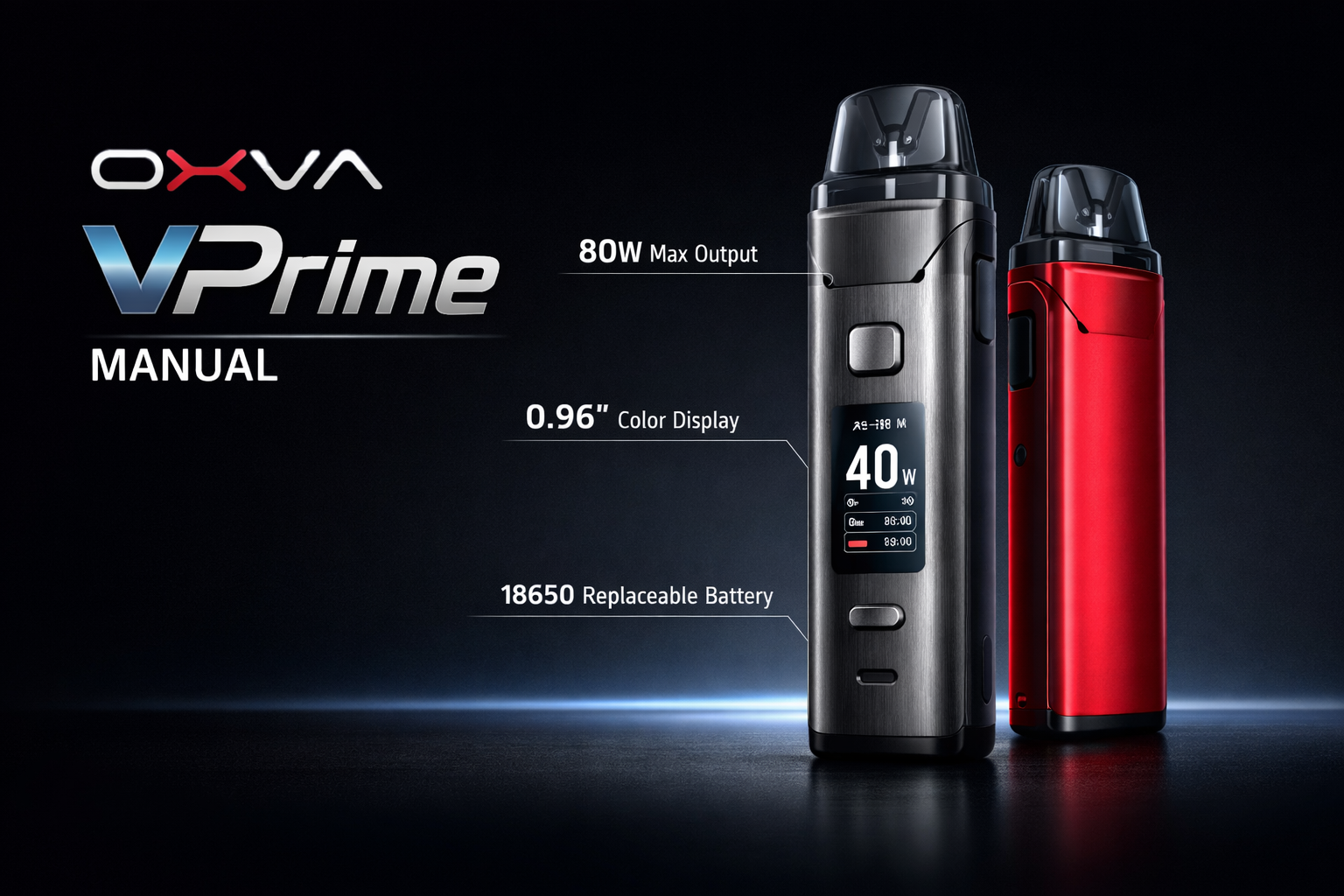
: : : : : 0.96 inch colour screen
: : : : :
Shows settings, prompts and status information.
: : : : : Output Voltage
: : : : : 3.2-4.2V
: : : : :
The manual lists this operating voltage range.
: : : : : Battery
: : : : : Built-in 2600mAh
: : : : :
The manual lists a built-in 2600mAh battery.
: : : : : Charging
: : : : : Type-C 5V/2A
: : : : :
USB-C charging through the Type-C port.
: : : : : Activation
: : : : : Auto-draw or fire button
: : : : :
You can inhale to vape or use the fire button.
: : : : : Lighting
: : : : : Glittering RGB light
: : : : :
The manual shows a built-in RGB light effect on the device.
: :
: :
What is on the VPrime device
: : : :
: : : : : These are the main parts shown in the manual.
: : : :
: : : : :
Fire Button
: : : : :
Used for power and fire-button vaping.
: : : : :
Airflow Adjust Valve
: : : : :
Used to make the draw more open or more restricted.
: : : : :
Device Body
: : : : :
Main housing for the battery, controls and screen.
: : : : :
Type-C Port
: : : : :
Used for charging the built-in battery.
: : : : :
Cartridge
: : : : :
The refillable pod section at the top of the device.
: : : : :
Power Adjustment Button
: : : : :
Used to set your preferred wattage.
: : : : :
Screen
: : : : :
The display shows wattage, prompts and general status information.
: : : : :
Glittering RGB Light
: : : : :
The device includes RGB lighting listed in the product structure.
: :
: :
How to fill and prime the VPrime properly
: : : :
: : : : : A rushed first fill is one of the easiest ways to spoil a new pod.
: : : :
: : : : :
Best filling routine
: : : : :
-
: : : : : :
- Fill the e-juice into a new cartridge carefully
- Wait at least 5 to 8 minutes before vaping
- Close the pod as soon as possible after filling
- Only then start vaping
- Take it gently on the first few puffs
: : : : : :
: : : : : :
: : : : : :
: : : : : :
: : : : :
: : : : :
Why this helps
: : : : :
-
: : : : : :
- Not waiting long enough can lead to a dry or burnt first vape
- Leaving the fill opening open too long can increase leaking risk
- People often blame the device when the real issue is poor priming
- A little patience usually gives a much better first experience
: : : : : :
: : : : : :
: : : : : :
: : : : :
: : : : The most useful filling tip is simple: after filling a new cartridge, wait at least 5 to 8 minutes before using it.
: :
: :
Extra functions on the VPrime
: : : :
: : : : : The manual also includes a couple of everyday functions that are easy to miss.
: : : :
: : : : :
Reset puff count
: : : : :
Press the fire button twice to access the secondary menu, then select the puff options to reset the puff count.
: : : : :
Lock the fire button
: : : : :
Press the plus and minus keys together for 1.5 seconds to lock or unlock the fire button.
: : : : :
Choose your own draw style
: : : : :
You can combine airflow adjustment with wattage changes to suit how loose or restricted you want the vape to feel.
: : : : If you want fewer accidental presses when carrying the device, the plus-and-minus lock shortcut is one of the most useful features to remember.
: :
: :
VPrime screen prompts
: : : :
: : : : : These are the main prompts listed in the manual.
: : : :
: : : : :
Low Battery
: : : : :
The battery is low and needs charging.
: : : : :
No Atomizer
: : : : :
The cartridge is not being detected correctly, so check the pod connection.
: : : : :
Short
: : : : :
The device has detected a short circuit.
: : : : :
Timeout
: : : : :
The vaping time is over 8 seconds, so the device stops for safety.
: : : : :
Temp High
: : : : :
The temperature of the PCBA is too high and the device needs time to cool down.
: : : : :
Repeated prompts
: : : : :
If the same prompt keeps returning, check the pod fit, battery level and device temperature before carrying on.
: : : : If the VPrime keeps showing prompts, check the pod fit, battery level and device temperature before carrying on.
: :
: :
Important safety points
: : : :
: : : : : These are the simple habits worth keeping in mind from the manual.
: : : :
: : : : :
Good habits
: : : : :
-
: : : : : :
- Use the correct Type-C charging setup
- Keep the device away from inflammable and explosive materials
- Use OXVA brand components and accessories where possible
- Check the pod is fitted properly before using it
: : : : : :
: : : : : :
: : : : : :
: : : : :
: : : : :
Do not ignore
: : : : :
-
: : : : : :
- Do not leave the device unattended while charging
- Do not ignore repeated prompts
- Do not carry on as normal if the pod fit feels wrong
- Do not rush a freshly filled cartridge
: : : : : :
: : : : : :
: : : : : :
: : : : :
: :
: :
OXVA VPrime manual FAQ
: : : : :
Quick answers to the most common VPrime setup, controls and usage questions.
: : : : : :
How do I turn the OXVA VPrime on and off?
: : : : : :
Press the fire button five times in 2 seconds to turn the device on or off.
: : : : : :
Can I vape by inhale on the OXVA VPrime?
: : : : : :
Yes. The manual says you can press the fire button or inhale to vape.
: : : : : :
How do I adjust the wattage on the OXVA VPrime?
: : : : : :
Press the power adjustment button to set your preferred wattage.
: : : : : :
How do I lock or unlock the OXVA VPrime?
: : : : : :
Press the plus and minus keys together for 1.5 seconds to lock or unlock the fire button.
: : : : : :
How do I reset the puff count on the OXVA VPrime?
: : : : : :
Press the fire button twice to open the secondary menu, then choose the puff option and reset it there.
: : : : : :
How long should I wait after filling a new OXVA VPrime pod?
: : : : : :
Wait at least 5 to 8 minutes before using a newly filled pod.
: : : : : :
What size is the OXVA VPrime?
: : : : : :
The manual lists the device size as 23.45 by 37.8 by 105.5mm.
: : : : : :
What pod capacity does the OXVA VPrime manual list?
: : : : : :
The manual lists 5ml and 2ml (TPD) versions.
: : : : : :
What screen does the OXVA VPrime have?
: : : : : :
The manual lists a 0.96 inch colour screen.
: : : : : :
What is the battery size of the OXVA VPrime?
: : : : : :
The manual lists a built-in 2600mAh battery.
: : : : : :
What charging type does the OXVA VPrime use?
: : : : : :
The manual lists Type-C 5V/2A charging.
: : : : : :
What output voltage does the OXVA VPrime use?
: : : : : :
The manual lists an output voltage range of 3.2 to 4.2V.
: : : : : :
What does Low Battery mean on the OXVA VPrime?
: : : : : :
It means the battery is low and needs charging.
: : : : : :
What does No Atomizer mean on the OXVA VPrime?
: : : : : :
It means the cartridge is not being detected correctly, so check the pod connection.
: : : : : :
What does Short mean on the OXVA VPrime?
: : : : : :
It means the device has detected a short circuit and has stopped for safety.
: : : : : :
What does Timeout mean on the OXVA VPrime?
: : : : : :
It means the puff lasted over 8 seconds and the device stopped for safety.
: : : : : :
What does Temp High mean on the OXVA VPrime?
: : : : : :
It means the temperature of the PCBA is too high and the device needs time to cool down.
: : : : : :
Does the OXVA VPrime have airflow adjustment?
: : : : : :
Yes. The manual shows an airflow adjust valve on the device.
: : : : : :
What should I do if the OXVA VPrime pod is fitting badly?
: : : : : :
Check that the pod is seated properly and do not force it. If it still feels wrong, inspect the pod and connection before carrying on.
: : : : : :
Should I leave the OXVA VPrime charging unattended?
: : : : : :
No. The manual says not to leave the device unattended while charging.
: : : : : :
Do I still need the full PDF manual?
: : : : : :
For everyday questions like setup, wattage changes, filling and prompt meanings, the steps above usually give you the fastest answer.
: : : : :
Once the basics are sorted, choose the guide that matches your next question
: : : : :
: : : : : : Most people next need help with troubleshooting, compatibility or choosing the right OXVA setup, so those guides are the best follow-up once the main controls are clear.
: : : : :
: : : : : : Open Troubleshooting
: : : : : : Open Compatibility Guide
: : : : : : Open Manuals Hub
: : : : : The answers above are based on the VPrime manual and rewritten to make the device easier to use day to day.
: :
VPrime replacement pods at Vapestore
Keep spare pods so you are never without. Official UK stockist. 18+ only.