
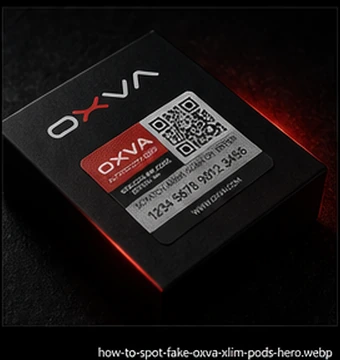
Best first step
OXVA Product Verification Guide
Start here if you want a practical step-by-step guide to checking whether your OXVA product is genuine and what to do next if something does not feel right.
Open Verification GuideWorried that your OXVA device or pods may not be genuine? Start here. This page helps you check product authenticity, understand the verification code, spot warning signs on XLIM pods and find the right support options if something does not look right.
Not sure where to begin? Start with the product verification guide. From there, you can check the authenticity code, compare packaging, review fake pod warning signs or move into warranty and support help.
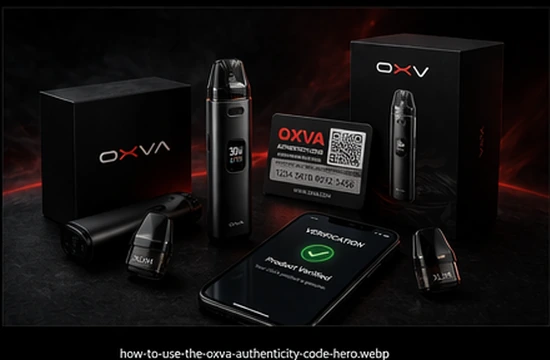
Not every visitor needs the same answer. Some want to check the product itself, some only need help with the authenticity code, and some are specifically worried about fake XLIM pods or what kind of support is available if something feels wrong.
Start here if you want a practical step-by-step guide to checking whether your OXVA product is genuine and what to do next if something does not feel right.
Open Verification Guide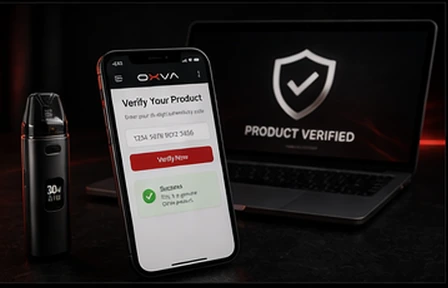
Use this if your pack includes a verification code and you want to make sure you are checking it correctly before you trust the product.
Open Code Guide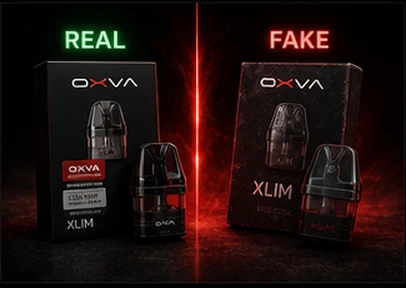
Best if your main concern is replacement pods rather than the whole device, especially if the box, fit or flavour seems unusual.
Open Fake Pod Guide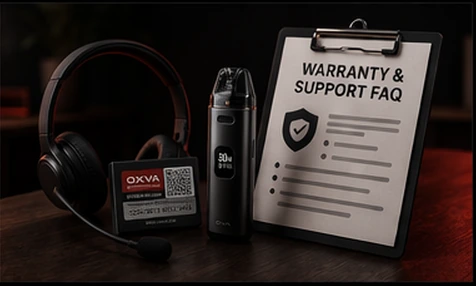
Use this if your product appears genuine but you now need help with support, proof of purchase or what to do next.
Open Warranty FAQMost authenticity worries come down to a few common situations. These are usually the quickest ways to work out what kind of problem you may actually be dealing with.
Poor print quality, spelling mistakes, weak seals or odd labelling can all be warning signs when something feels off from the start.
A verification code only helps if you are using the correct official route and entering the details properly.
Popular products like XLIM pods are exactly the kind of item users worry about most, so pod-specific checks matter.
Even if a product is genuine, you may still need retailer support, warranty help or setup guidance depending on the issue.
Quick guidance: if you are unsure where to begin, start with the product verification guide. It gives you the clearest next step without making you guess.
Authenticity checks are often only part of the story. These related pages help if your next question is about manuals, compatibility or real-world performance problems.
Useful once you have verified the device and need help with setup, charging, pod fitting or user instructions.
Open Manuals HubBest next step if the real concern is buying the correct replacement pod family after checking trust and authenticity.
Open Compatibility GuideHelpful if the product seems genuine but you are still dealing with leaking, burnt taste, gurgling or weak performance.
Open TroubleshootingQuick answers for the trust and verification questions people often ask before or after buying.
Start by checking the packaging, printed labels, overall finish and any authenticity information included with the product. Then use the official verification method where available.
First make sure the code was entered correctly and that you are using the correct official verification route. If it still fails, review the packaging and seller details before using the product further.
Yes. Fake or poor-quality replacement pods are a common concern for popular devices. Packaging quality, print quality, fit and seller trust all matter.
Not always. Verification helps confirm trust, but warranty support may still depend on proof of purchase, retailer terms and the issue itself.
If you have genuine doubts, it usually makes sense to stop, verify it properly and use the right support route before carrying on.
For most visitors, the strongest first step is the product verification guide. From there, you can move into the code guide, fake XLIM pod guide or support FAQ depending on what you find.
The goal of this page is simple: help you take the right first step. Check the product, confirm the code if needed, then move into fake pod checks or support guidance only if the situation still feels unclear.
Avoid fakes — Vapestore is an authorised UK OXVA retailer. Every device is guaranteed genuine. 18+ only.