
: :
: : : :
Adjusting the Airflow on the OXVA XLIM Pro
: : : :
Airflow is one of the easiest ways to change how your XLIM Pro feels without swapping pods straight away. A tighter airflow gives a more restricted cigarette-style draw, while a more open airflow creates a looser, airier vape with a different balance of flavour, warmth and throat hit. This guide explains how to adjust it properly, what each setting actually changes, and when it makes more sense to look at newer OXVA devices like XLIM Pro 3, Nexlim or VPrime.
: : : : : Published: 18 October 2023
: : : : : Last updated: 25 March 2026
: : : : : Shop XLIM Pro 2Current price: £18.99
: : : : : Upgrade to XLIM Pro 3Current price: £26.99
: : : : : Buy XLIM PodsCurrent price: £5.99
: : : : : Clear airflow setup advice
: : : : : Tight vs loose draw explained
: : : : : Modern device comparisons included
: : : : : Updated schema and dates
: : : : 
: :
: : : :
Quick answer: on the OXVA XLIM Pro, the airflow slider on the side of the device lets you tighten or loosen the draw. Slide it toward a smaller opening for a tighter mouth-to-lung feel, or open it more for a looser and airier vape. Start in the middle, then adjust in small steps until the draw feels right.
: : :
: : :
Why Airflow Matters More Than Most Users Think
: : : :
Airflow does more than change how tight or loose the draw feels. It affects vapour density, flavour concentration, throat hit, draw resistance and how warm the vape feels. A small movement of the slider can noticeably change the whole experience.
: : : : : :
Tighter airflow
: : : : : :
Usually gives a more restricted mouth-to-lung draw, a denser-feeling inhale and a style many ex-smokers prefer.
: : : : : :
Looser airflow
: : : : : :
Usually gives a more open draw, a freer inhale and a softer airier vape that can feel less intense on each puff.
: : : : : :
More focused flavour
: : : : : :
Many users find slightly tighter airflow makes flavour feel more concentrated and deliberate.
: : : : : :
Comfort and consistency
: : : : : :
If the vape feels “off” but not obviously broken, airflow is often the first thing to adjust before changing pods or wattage.
: : : : :
Best way to think about airflow: it is the quickest comfort adjustment on the device. If the vape feels too tight, too airy, too warm or just slightly wrong, airflow is often the first place to start.
: : :
: : :
How to Adjust the Airflow on the OXVA XLIM Pro
: : : :
The XLIM Pro keeps airflow control simple. You do not need menus or advanced settings. The adjustment happens physically on the side of the device.
: : : : : : 1
: : : : : :
Find the airflow slider
: : : : : :
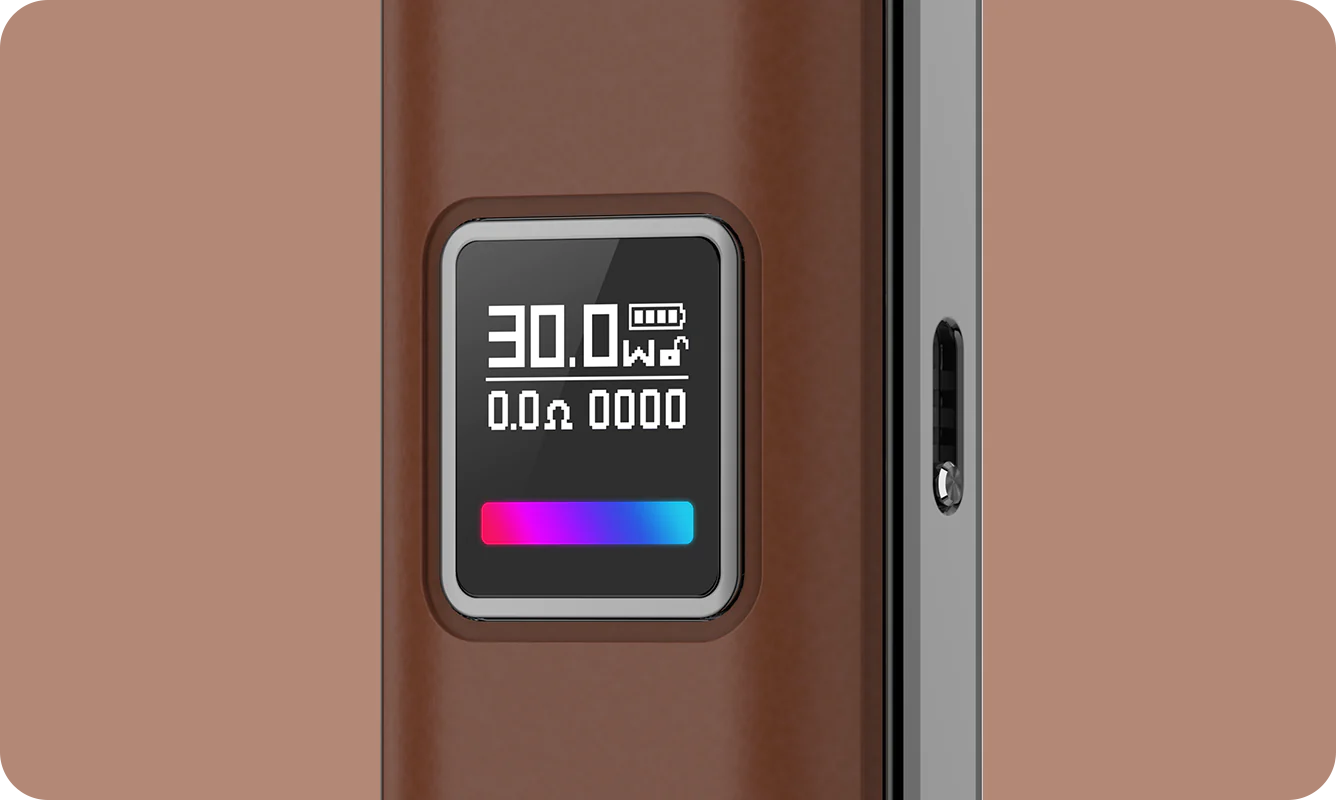
Look on the side of the XLIM Pro battery section. The small slider controls how much air enters during each puff.
: : : : : : 2
: : : : : :
Start in the middle
: : : : : :
If you are not sure what you like, a middle position is the easiest neutral starting point.
: : : : : : 3
: : : : : :
Move it in small steps
: : : : : :
Make short controlled adjustments rather than opening or closing it fully straight away.
: : : : : : 4
: : : : : :
Test after each change
: : : : : :
Take a few puffs and notice the change in resistance, warmth and flavour before adjusting again.
: : : :
In simple terms, a more closed position gives a tighter draw, while a more open position makes the inhale feel freer and airier.
: : :
: : :
Tight Airflow vs Loose Airflow: What Actually Changes?
: : : :
Many users know they want the vape to feel better, but are not always sure what airflow is really changing. This is the easiest way to separate the two styles.
: : : : :
| Airflow style | How it feels | What usually changes | Who it usually suits |
|---|---|---|---|
| Tighter airflow | More restricted and focused | Stronger draw resistance, more concentrated feel, often slightly stronger throat hit | MTL users and many ex-smokers |
| Looser airflow | Airier and freer | Softer draw resistance, lighter inhale, more open feel | Buyers wanting a looser MTL or light RDL feel |
: : : :
A tighter setting can also make the vape feel more condensed and deliberate, while a looser setting often feels smoother and more relaxed. Neither is automatically better - they just suit different preferences.
: : :
: : :
Best Airflow Settings for Different XLIM Users
: : : :
The best airflow setting depends on the inhale style you want, which pod you are using and how warm you like the vape to feel. Start with the style below that sounds closest to your preference, then fine-tune from there.
: : : : : :
For a cigarette-style draw
: : : : : :
Use a tighter airflow position and pair it with a pod setup designed for MTL vaping.
: : : : : :
For a balanced everyday vape
: : : : : :
Keep the airflow around the middle and make small changes until the draw feels natural.
: : : : : :
For a looser inhale
: : : : : :
Open the airflow more and let the device breathe a bit more on each puff.
: : : : : :
For stronger flavour focus
: : : : : :
Many users prefer slightly tighter airflow because it can make flavour feel more concentrated.
: : : : :
Important: airflow and wattage work together. If the draw feels wrong, do not assume airflow alone is the issue. Your wattage, pod resistance or liquid type may need adjusting too.
: : : : : Read Wattage Guide
: : : : : Read Pod Guide
: : :
: : :
Common Airflow Mistakes on the XLIM Pro
: : : :
-
: : : : :
- Changing airflow too aggressively instead of making small adjustments
- Ignoring the pod resistance and blaming airflow for every problem
- Leaving the airflow too open while trying to recreate a tighter smoking-style draw
- Leaving the airflow too restricted while also pushing the device too hard
- Forgetting to clean the device and assuming airflow is the reason the vape feels off
: : : : :
: : : : :
: : : : :
: : : : :
: : : :
: : : :
If the draw suddenly feels strange, it is worth checking the airflow slider, pod condition and general cleanliness before changing everything else.
: : : : :
Simple test: if the device felt fine before and now feels wrong, try a small airflow adjustment first, then check pod age, liquid level and wattage if the issue continues.
: : :
: : :
Compare Newer OXVA Devices for Airflow Style
: : : :
The original version of this page focused only on the XLIM Pro. That still makes sense for the core search, but readers now have better newer options depending on the kind of draw they want.
: : : : :
| Device | Airflow personality | Best for | Why choose it | Best next step |
|---|---|---|---|---|
| XLIM Pro 2 | Strong everyday adjustable XLIM feel | Buyers wanting a familiar compact adjustable draw | Reliable upgrade if you like the XLIM style already | Shop XLIM Pro 2Current price: £18.99 |
| XLIM Pro 3 | Modern XLIM airflow option | Buyers wanting the strongest current XLIM upgrade | Best all-rounder for staying in the XLIM ecosystem | Shop XLIM Pro 3Current price: £26.99 |
| Nexlim | Newer flavour-led pod feel with its own character | Buyers wanting a fresher dedicated pod route | Good if you want something newer without going too open | Shop NexlimCurrent price: £22.99 |
| VPrime | More open and more powerful direction | Buyers wanting more airflow and output | Better if small-pod airflow still feels too restricted | Shop VPrimeCurrent price: £23.99 |
| XLIM Go 2 | Simpler compact XLIM-family route | Buyers wanting an easier entry point | Useful if you want simpler pod use without overcomplicating settings | Shop XLIM Go 2 |
: : : : : :
Choose XLIM Pro 3 if…
: : : : : :
You want the safest modern XLIM upgrade with familiar draw control and a cleaner current-device path.
: : : : : :
Choose Nexlim if…
: : : : : :
You want a newer flavour-focused pod route that feels more current without jumping into a much more open style.
: : : : : :
Choose VPrime if…
: : : : : :
You want more airflow, more output and a vape that feels more open than the usual compact XLIM experience.
: : : : : :
Stay with XLIM if…
: : : : : :
You already like the XLIM draw style and mainly need better tuning rather than a completely different device class.
: : : : :
Best overall guidance: stay with XLIM if you want a compact adjustable all-rounder, move to Nexlim for a newer flavour-led route, and move to VPrime if you want noticeably more airflow and stronger output.
: : :
: : :
FAQs
: : : : : :
Where is the airflow control on the OXVA XLIM Pro?
: : : : : :
It is on the side of the device as a small slider that lets you tighten or loosen the draw.
: : : : : :
Does tighter airflow improve flavour?
: : : : : :
For many users it can make the vape feel more concentrated, but the best result depends on your pod, liquid and inhale style.
: : : : : :
What airflow setting is best for ex-smokers?
: : : : : :
Many ex-smokers prefer a tighter airflow because it feels more restricted and more cigarette-like.
: : : : : :
Should I change airflow or wattage first?
: : : : : :
If the draw itself feels wrong, change airflow first. If the warmth or intensity feels wrong, check wattage too.
: : : : : :
Can airflow affect pod lifespan?
: : : : : :
Indirectly, yes. If your airflow and power combination makes you vape harder or hotter than necessary, pod life can drop faster.
: : : : : :
What if my XLIM Pro still feels wrong after changing airflow?
: : : : : :
Check pod condition, wattage, liquid type and cleanliness. The issue may not be airflow alone.
: : : : : :
Which newer OXVA device should I choose if I want more airflow?
: : : : : :
VPrime is the clearest move if you want more openness and stronger output. XLIM Pro 3 is better if you still want the familiar compact XLIM style.
: : :
: : : :
Get More From Your OXVA Draw Setup
: : : :
If you want a better draw from your OXVA device, airflow is the quickest place to start. Pair the right slider position with the right pod and wattage, and the device becomes much easier to dial in properly. And if you are ready for a newer setup, XLIM Pro 3, Nexlim and VPrime each give you a clearer next step depending on the style of vape you want.
: : : : : Shop XLIM Pro 3Current price: £26.99
: : : : : Shop NexlimCurrent price: £22.99
: : : : : Shop VPrimeCurrent price: £23.99
VPrime gives you real airflow adjustment
If you want a genuinely adjustable airflow rather than the XLIM collar, the VPrime is the OXVA kit built for it. 18+ only.