
OXVA Troubleshooting · LED Guide 2026
OXVA Vape Light Flashing? LED Indicator Guide for All OXVA Devices
If your OXVA is flashing, blinking or showing a colour you don’t recognise, this page explains exactly what every light pattern means and what to do about it. Covers XLIM Pro 3, XLIM 3 Ultra, XLIM Go 2, NeXLIM, VPrime and SlimStick.
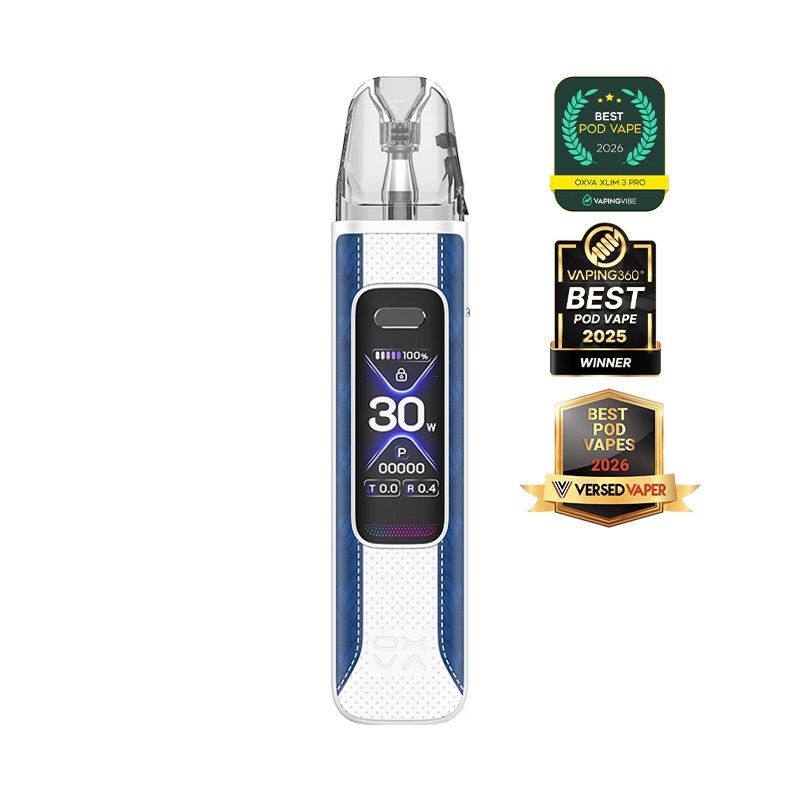
XLIM Pro 3 - LED light meanings
The Pro 3 has an OLED screen showing battery percentage and wattage. But the device also uses LED flash patterns for quick status signals - especially when locked or when a problem is detected.
| Pattern | Meaning | What to do |
|---|---|---|
| 3 flashes | Low battery (below ~20%) OR short-circuit protection | If battery bar is low: charge device. If battery shows full: remove and re-seat pod. Check pod for damage. |
| 5 clicks | Lock/unlock toggle | Five rapid clicks lock or unlock the device. If vape won’t fire, click 5 times to unlock. |
| Pulsing white | Charging in progress | Normal. Light turns solid or changes colour when fully charged. |
| 10 flashes | 10-second puff timeout | Release draw - the device limits each puff to 10 seconds as a safety measure. |
| Rapid flash (continuous) | No pod / poor pod contact | Remove pod, wipe contacts, reinsert firmly. Check pod is filled before re-inserting. |
Screen gone blank? The OLED display sleeps after ~15 seconds to save power. Draw on the device or press the fire button once to wake it. If it stays blank, try a 5-click lock/unlock cycle.
XLIM 3 Ultra - touch screen and LED patterns
The XLIM 3 Ultra has a 2.2″ full touchscreen rather than an LED indicator panel. Most status information appears on screen rather than as blink codes.
| What you see | Meaning | What to do |
|---|---|---|
| Screen won’t wake | Sleep mode or device locked | Tap the screen or hold the lock button. If locked, follow on-screen unlock instructions. |
| Low battery icon flashing | Battery below critical level | Charge via USB-C immediately - very low battery can cause the device to shut off mid-puff. |
| Charging animation | Device charging normally | No action needed - leave charging until the animation stops or the battery icon shows full. |
| Pod error on screen | No pod detected or pod short | Remove pod, wipe connectors with a dry cloth, reinsert. If error persists, try a different pod. |
| Screen flickers on draw | Loose pod connection | Remove and firmly reseat the pod. Ensure it clicks in. |
XLIM Go 2 - LED light meanings
XLIM Go 2 has no screen - it uses only LED blink patterns to communicate status. These are the most common ones:
| Pattern | Meaning | What to do |
|---|---|---|
| 3 flashes on draw | Battery too low to fire | Charge device before using. If battery is charged, check pod contacts. |
| Solid white glow | Firing normally | Normal - light is on when you draw and turns off when you stop. |
| Slow white pulse | Charging | Normal charging state. Light goes solid or switches off when charge is complete. |
| Rapid flashing (no draw) | Atomiser short / no pod | Remove and re-seat the pod. Wipe the pod contacts. If repeated: try a new pod. |
| 10 flashes then stops | Puff timeout (10-second protection) | Release draw. Take shorter puffs - the device cuts off after 10 seconds as a safety feature. |
NeXLIM - screen and LED patterns
NeXLIM has a small display screen plus LED-style indicator ring around the pod slot.
| Pattern | Meaning | What to do |
|---|---|---|
| 3 flashes on draw | Short circuit / battery low | Check battery level on screen. If not low: remove and re-seat pod. Inspect pod coil for damage. |
| Mode indicator flashing | Eco or Boost mode switching | Normal - toggle between Eco and Boost by pressing the mode button. See Eco vs Boost guide. |
| No screen on power button | Device off or flat battery | Hold power button 3 seconds to power on. If nothing: charge first. |
| Charging animation looping | Charging in progress | Normal. Stop animation / solid screen indicates full charge. |
VPrime - LED patterns
| Pattern | Meaning | What to do |
|---|---|---|
| 3 flashes on draw | Short circuit or very low battery | Charge device. If battery reads full: remove pod, inspect contacts, reinsert. |
| Colour-coded LEDs | Battery level indicator | Green = good, blue = medium, red = low. Charge when red. |
| Rapid 5-flash on button | Lock/unlock | 5 rapid presses toggle the device lock. Required if device won’t fire despite being charged. |
| Continuous flashing, no fire | Pod short circuit or no pod | Re-seat pod. Check pod coil is not flooded or damaged. |
Quick fixes for the most common OXVA flash issues
3 flashes when you try to vape: This is the most searched OXVA flash issue. It almost always means either (a) the battery is too low to fire or (b) the pod has a short circuit. Try charging first. If charging doesn’t help, remove the pod, wipe both pod contacts and the device contacts with a dry cloth, and reinsert firmly. If a second pod has the same issue, the device needs to be inspected.
Device locked and won’t fire: All XLIM Pro 3, VPrime and some other OXVA devices support a 5-click lock. Press the fire button 5 times rapidly. The LED will flash to confirm lock status - same 5 clicks to unlock.
Rapid/continuous flashing with a burning smell: Remove the pod immediately. This can indicate a flooding issue or a coil that has shorted. Do not continue to use the device until the pod is replaced and the contacts are cleaned.
Device flashes but produces no vapour: Check the pod is filled with e-liquid and properly seated. XLIM pods need to be primed - fill them and wait 5 minutes before first use. If the pod is dry, the device may flash and cut off to protect the coil.
Still not working?
If you’ve tried the fixes above and your OXVA still flashes without firing, the issue is usually one of three things:
- The pod coil is dead - replace the pod first before troubleshooting the device
- The battery contacts are dirty or oxidised - clean with a dry cotton swab
- The device itself has an internal fault - contact the retailer about warranty
Frequently asked questions
Why does my OXVA flash 3 times when I try to vape?
My OXVA Pro 3 won’t fire even though it’s charged. What’s happening?
OXVA XLIM Go 2 flashing but not vaping - is it broken?
How do I know when my OXVA is fully charged?
Does OXVA have a warranty for vape devices?
This guide covers commonly observed LED patterns. Always refer to your specific device manual for official indicator definitions. Buying links use affiliate tracking. 18+ only.