
: :
: : : : :
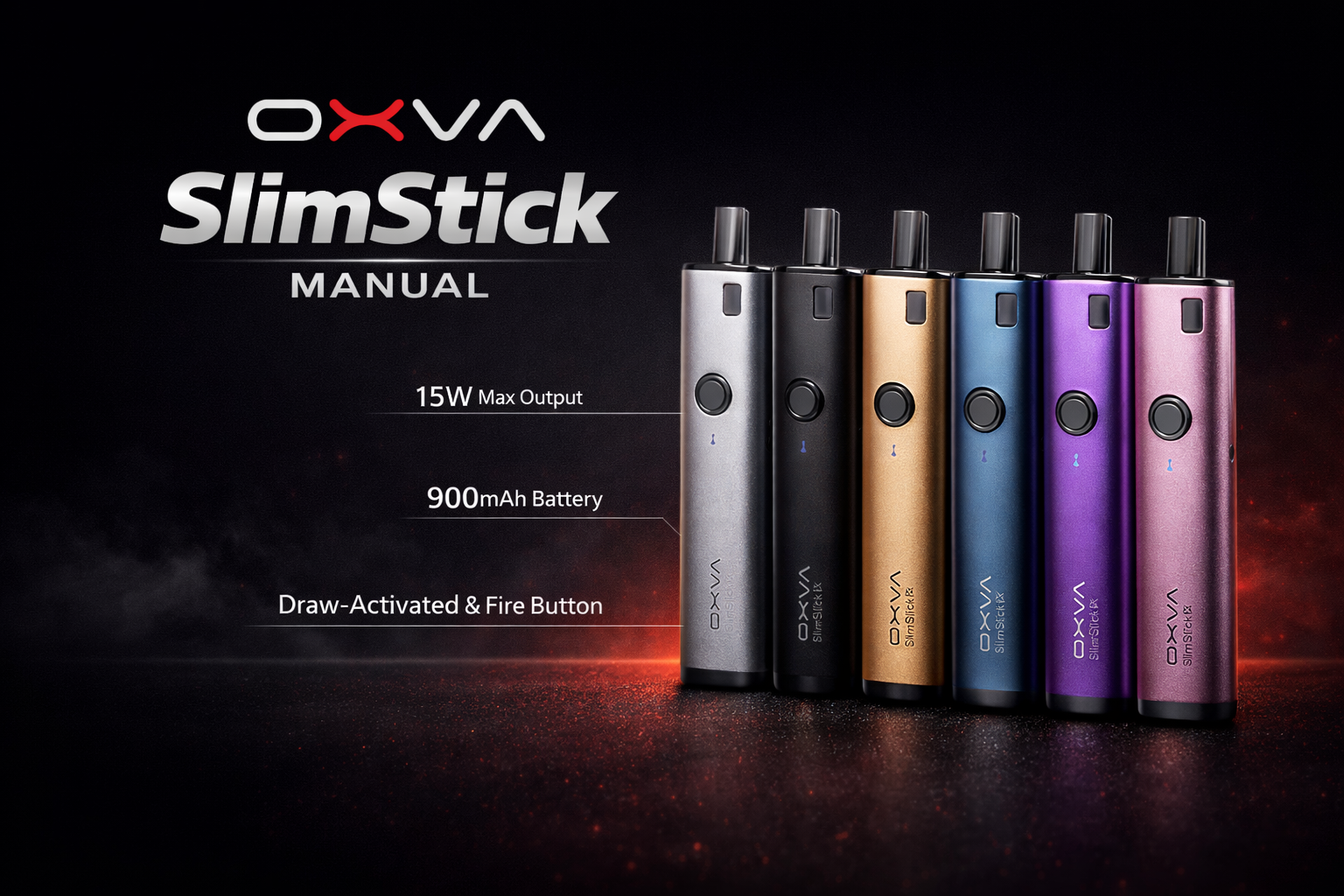
OXVA SlimStick manual and user guide
: : : : :
: : : : : : Looking for the SlimStick instructions? This page brings together the main setup advice, charging details, warning lights and quick answers in one place, so you can get started faster without reading the folded manual line by line.
: : : : :
: : : : :
: : : : : : It covers the key specifications, how the cartridge fits into the device, what the warning lights mean, how the battery indicator works and the main safety points worth knowing before normal use.
: : : : :
: : : : : : Shop SlimStick
: : : : : : Open Manuals Hub
: : : : :
: : : : : : If you only need the essentials, start with the quick specifications, how-to-use steps and warning light meanings below.
: : : : :
: : : : : : Manuals Hub
: : : : : : Troubleshooting
: : : : : : Find Your OXVA
: : : : : : OXVA Guides
: : : : : : 
: : : : : : : Main points
: : : : : : :
-
: : : : : : : :
- 2ml pod capacity
- Built-in 1500mAh battery
- Type-C 5V/1A charging
- Simple warning light system
: : : : : : : :
: : : : : : : :
: : : : : : : :
: : : : : : :
: : : : : Setup made simpler
: : : : : Warning lights explained
: : : : : Charging details explained
: : : : : Key specs at a glance
: :
: :
Quick answer: the main SlimStick details
: : : :
: : : : : These are the points most people want first.
: : : :
: : : : :
Pod capacity
: : : : :
The manual lists a 2ml cartridge capacity.
: : : : :
Battery
: : : : :
The manual lists a built-in 1500mAh battery.
: : : : :
Charging
: : : : :
The manual lists Type-C charging at 5V/1A.
: : : : :
Output voltage
: : : : :
The manual lists an output voltage range of 3.3 to 4.2V.
: : : : Quick answer: the SlimStick is a simple device with a 2ml pod, built-in 1500mAh battery and Type-C charging.
: :
: :
OXVA SlimStick specifications
: : : :
: : : : : These are the main details shown in the manual.
: : : :
: : : : : Size
: : : : : 14 × 32 × 90mm
: : : : :
Compact rectangular device with a simple stick-style body.
: : : : : Capacity
: : : : : 2ml
: : : : :
The manual lists a 2ml cartridge capacity.
: : : : : Output Voltage
: : : : : 3.3-4.2V
: : : : :
The manual lists this operating voltage range.
: : : : : Battery
: : : : : Built-in 1500mAh
: : : : :
The manual lists a built-in 1500mAh battery.
: : : : : Charging
: : : : : Type-C 5V/1A
: : : : :
USB-C charging through the Type-C port.
: : : : : Structure
: : : : : Cartridge + device
: : : : :
The manual shows a straightforward cartridge-and-device setup.
: : : : : Indicator
: : : : : LED light
: : : : :
The device uses a light indicator rather than a full display screen.
: : : : : Use style
: : : : : Simple everyday use
: : : : :
The manual presents a very direct, low-complexity setup.
: :
: :
What is on the SlimStick device
: : : :
: : : : : These are the main parts shown in the manual.
: : : :
: : : : :
Cartridge
: : : : :
The cartridge fits into the top of the device.
: : : : :
Device body
: : : : :
Main housing for the battery and internal electronics.
: : : : :
LED
: : : : :
The LED light gives warning and battery feedback.
: : : : :
Type-C port
: : : : :
Used for charging the built-in battery.
: :
: :
How to use the SlimStick
: : : :
: : : : : The manual keeps this part very simple.
: : : :
: : : : :
Remove the cartridge
: : : : :
Lift the cartridge out from the top of the device when needed.
: : : : :
Reinsert the cartridge
: : : : :
Place it back into the device correctly before use.
: : : : :
Use as normal
: : : : :
Once the cartridge is seated properly, the device is ready for normal use.
: : : : The key thing here is simple: make sure the cartridge is fitted properly before carrying on.
: :
: :
Warning lights and battery indicator
: : : :
: : : : : These are the main light meanings listed in the manual.
: : : :
: : : : :
Battery indicator
: : : : :
-
: : : : : :
- Green light: roughly 100% to 80%
- Red light: roughly 0% to 20%
: : : : : :
: : : : :
: : : : :
Warning alerts
: : : : :
-
: : : : : :
- Vape over 8s: red and green lights flash alternately and the motor vibrates
- Low Battery: red light flashes 10 times and the motor vibrates
- Short Circuit: red light flashes 3 times and the motor vibrates
: : : : : :
: : : : : :
: : : : :
: : : : If the SlimStick is flashing or vibrating, check whether the issue is puff length, low battery or a short warning before carrying on.
: :
: :
Important safety points
: : : :
: : : : : These are the simple habits worth keeping in mind from the manual.
: : : :
: : : : :
Good habits
: : : : :
-
: : : : : :
- Keep the device away from inflammable and explosive materials
- Use OXVA brand components and accessories where possible
- Check the cartridge is fitted properly before use
- Charge with the correct Type-C setup
: : : : : :
: : : : : :
: : : : : :
: : : : :
: : : : :
Do not ignore
: : : : :
-
: : : : : :
- Do not leave the device unattended while charging
- Do not ignore repeated warning flashes or vibration alerts
- Do not carry on as normal if the cartridge fit feels wrong
- Do not use poor-quality accessories that could damage the device
: : : : : :
: : : : : :
: : : : : :
: : : : :
: :
: :
SlimStick warranty basics
: : : :
: : : : : The second page of the manual includes the warranty and purchase information section.
: : : :
: : : : :
What the warranty covers
: : : : :
The manual says the warranty covers defects in materials or workmanship under normal use for 90 days from the purchase date.
: : : : :
What can affect warranty cover
: : : : :
The manual lists missing proof of purchase, unauthorised adjustments, impact damage, water damage and non-OXVA accessories among the reasons cover may be refused.
: : : : Keep proof of purchase if you want the strongest chance of warranty support later.
: :
: :
OXVA SlimStick manual FAQ
: : : : :
Quick answers to the most common SlimStick setup, charging and warning-light questions.
: : : : : :
What size is the OXVA SlimStick?
: : : : : :
The manual lists the device size as 14 by 32 by 90mm.
: : : : : :
What pod capacity does the OXVA SlimStick manual list?
: : : : : :
The manual lists a 2ml cartridge capacity.
: : : : : :
What is the battery size of the OXVA SlimStick?
: : : : : :
The manual lists a built-in 1500mAh battery.
: : : : : :
What charging type does the OXVA SlimStick use?
: : : : : :
The manual lists Type-C charging at 5V/1A.
: : : : : :
What output voltage does the OXVA SlimStick use?
: : : : : :
The manual lists an output voltage range of 3.3 to 4.2V.
: : : : : :
How do I use the OXVA SlimStick?
: : : : : :
Insert the cartridge correctly into the device, then use the SlimStick as normal.
: : : : : :
What does the red and green flashing warning mean on the OXVA SlimStick?
: : : : : :
The manual says red and green lights flash alternately and the motor vibrates when the vape lasts over 8 seconds.
: : : : : :
What does the low battery light mean on the OXVA SlimStick?
: : : : : :
The red light flashes 10 times and the motor vibrates.
: : : : : :
What does the short circuit warning mean on the OXVA SlimStick?
: : : : : :
The red light flashes 3 times and the motor vibrates.
: : : : : :
What does the green battery light mean on the OXVA SlimStick?
: : : : : :
The manual lists green light for roughly 100% to 80% battery.
: : : : : :
What does the red battery light mean on the OXVA SlimStick?
: : : : : :
The manual lists red light for roughly 0% to 20% battery.
: : : : : :
Should I leave the OXVA SlimStick charging unattended?
: : : : : :
No. The manual says not to leave the device unattended while charging.
: : : : : :
Should I use non-OXVA accessories with the OXVA SlimStick?
: : : : : :
The manual advises using OXVA brand components and accessories to avoid device damage or health problems.
: : : : : :
What should I do if the cartridge fit feels wrong?
: : : : : :
Check that the cartridge is seated properly and do not force it. If it still feels wrong, inspect the connection before carrying on.
: : : : : :
How long is the SlimStick warranty?
: : : : : :
The manual says the warranty covers defects in materials or workmanship under normal use for 90 days from the purchase date.
: : : : : :
What can stop the SlimStick warranty from applying?
: : : : : :
The manual lists missing proof of purchase, unauthorised changes, impact damage, liquid damage and non-OXVA accessories among the reasons warranty cover can be refused.
: : : : : :
Do I still need the full PDF manual?
: : : : : :
For everyday questions like setup, charging and warning lights, the steps above usually give you the fastest answer.
: : : : :
Once the basics are sorted, choose the guide that matches your next question
: : : : :
: : : : : : Most people next need help with troubleshooting, buying guidance or choosing the right OXVA device, so those guides are the best follow-up once the main SlimStick basics are clear.
: : : : :
: : : : : : Open Troubleshooting
: : : : : : Find Your OXVA
: : : : : : Open Manuals Hub
: : : : : The answers above are based on the SlimStick manual and rewritten to make the device easier to use day to day.
: :