
Why Is My OXVA Vape Not Working?
If your OXVA vape suddenly stops firing, flashing, charging or producing vapour, the cause is usually something simple rather than a dead device. In many cases it comes down to pod contact issues, locking mode, battery problems, a flooded pod, or a burnt-out coil.
This guide walks through the most common reasons an OXVA vape is not working and the quickest fixes to try first. It is designed for OXVA users in the UK using XLIM, VPrime, NeXLIM and similar refillable pod kits.
Quick answer: Start by charging the device, removing and reseating the pod, checking whether the device is locked, and trying a fresh pod. Those four checks solve a large share of “not working” OXVA issues.
Battery, lock, pod fit, coil and charging issues
Practical help for real OXVA device problems
Connects you to the right XLIM and pod guides
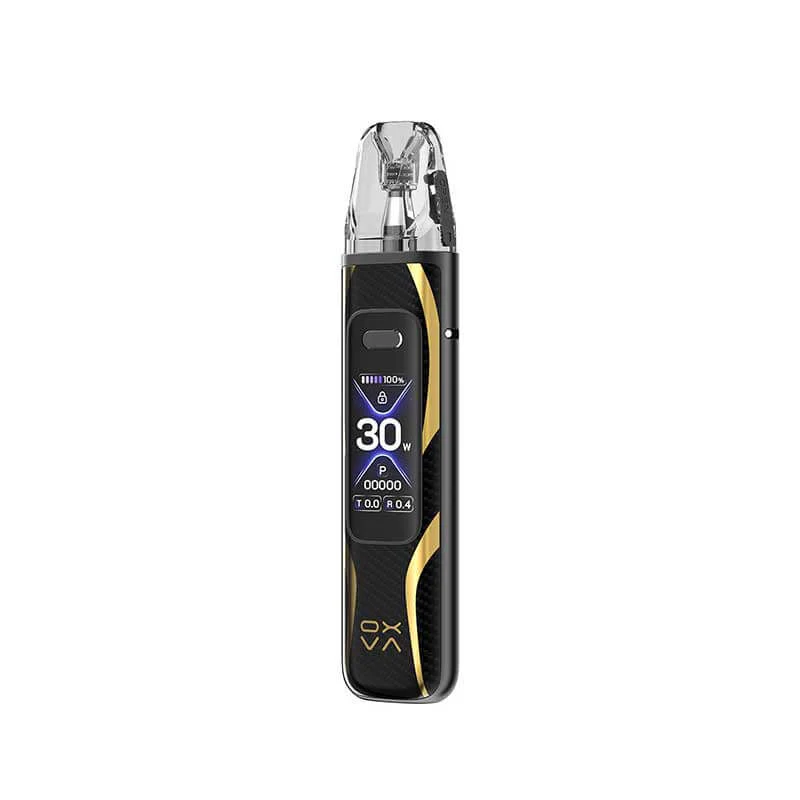
Start With These Quick Checks
Before assuming your OXVA device has failed, run through these simple checks. Most of them only take a minute.
Low battery is the most obvious cause, but it is also easy to overlook. Leave it on charge long enough to rule that out properly.
Many OXVA kits can be locked to prevent accidental firing. If it is locked, it may look dead when it is actually working normally.
A pod that is slightly loose or not making proper contact can stop the device from firing.
If the installed pod is burnt, flooded, old or faulty, a fresh one can bring the device back to life immediately.
Important: If your OXVA device gets unusually hot, smells burnt from the battery area, or shows signs of damage around the charging port, stop using it until you have ruled out a hardware fault.
1. The Device Is Locked
This is one of the most common reasons an OXVA vape seems not to work. Some users lock the device without realising it, especially after putting it in a pocket or bag.
If your model has a screen or button controls, unlocking it may solve the issue straight away.
2. The Pod Is Not Making Contact
If the pod is dirty underneath, slightly misaligned, or the contacts are wet with condensation, the device may not detect the pod properly.
Remove the pod, wipe the base gently, and reinsert it firmly.
3. The Coil or Pod Has Failed
OXVA pod devices rely heavily on the condition of the pod. If the coil inside is burnt or the pod is worn out, the vape may stop producing vapour or taste badly burnt even though the battery still works.
4. The Battery Is Too Low
A flat or very low battery can cause weak firing, flashing lights or no response at all. If charging does not help, the issue may move from “low battery” to “charging problem”, which we cover below.
What If the Device Is Not Charging?
If your OXVA vape will not charge, the problem may be the cable, the power source, the port, or the device itself.
Check the simple things first
- Try a different USB cable
- Try a different plug or USB port
- Check the charging port for lint or debris
- Make sure the port is dry and clean
If the device still does not respond, you may be dealing with a faulty port or battery rather than a pod issue.
Tip: If your OXVA flashes but does not charge properly, that often points to either poor charging contact or a battery issue rather than a dead pod.
Pod Problems That Make an OXVA Vape Seem Broken
A surprising number of “device not working” problems are actually pod-related. If the battery turns on but you get no vapour, weak flavour, burnt taste or gurgling, focus on the pod next.
Flooded Pod
A flooded pod can make the draw feel weak, messy or completely wrong. In bad cases, the device may seem to fire badly or not at all because the pod is saturated with excess liquid.
Burnt Pod
If the pod is burnt, the vape may still fire but feel unusable. Many users describe this as the vape “not working” because the flavour is gone or every puff is harsh.
Old Pod
Pods do not last forever. Once performance drops off, replacing the pod is often faster and more effective than trying endless fixes.
Wrong Liquid for the Pod
Using a liquid that is not well suited to the pod can shorten lifespan and hurt performance. Thick or overly sweet liquids can also make the vape feel inconsistent.
When You Should Replace the Pod Instead of Keep Testing
If you have charged the device, checked the lock setting, reseated the pod, cleaned the contacts and still get poor performance, the next step is usually simple: try a new pod.
You should strongly consider replacing the pod if:
- The flavour tastes burnt or dull
- The pod has been in use for a while and performance has faded
- The pod gurgles or leaks repeatedly
- The device fires but vapour output is weak or inconsistent
In many cases, a fresh pod is the quickest fix. If your device powers on but the vape quality is poor, replacing the pod is often more effective than trying to rescue an exhausted one.
Need Fresh OXVA Pods or a Backup Device?
If your current pod is finished or your device is becoming unreliable, it may be time to replace the pod or move to a newer OXVA kit.
Frequently Asked Questions