
OXVA XLIM Pro 3 Settings Guide (2026): How to Turn It On, Unlock It, Change Wattage, Reset It & Fix Common Issues
Everything you need to know about the OXVA XLIM Pro 3 controls, screen settings, puff count, charging, lock functions, and common fixes — in one complete step-by-step guide.
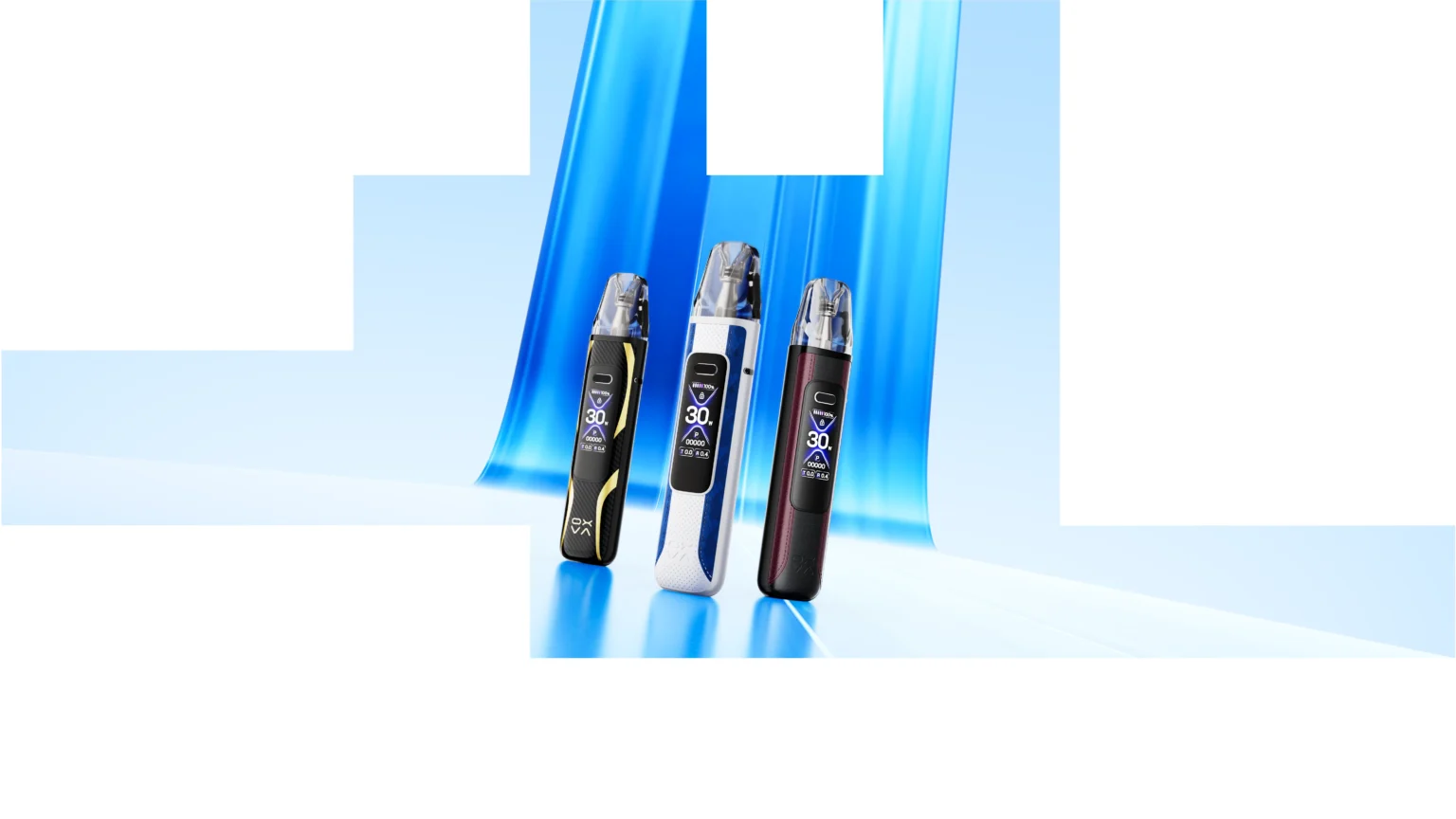
Quick answer: If you want to use the OXVA XLIM Pro 3 properly, the key things to learn are how to power it on, lock and unlock the device, adjust the wattage, reset the puff counter, charge it correctly, and match the correct pod to your vaping style.
For most users, the easiest starting point is: turn the device on, fit the correct pod, keep the wattage within the pod’s recommended range, and use a suitable 50/50 nic salt or pod-friendly liquid.
Why This XLIM Pro 3 Settings Guide Matters
The OXVA XLIM Pro 3 is one of those pod devices that can feel simple at first glance but still confuse new users once they start changing settings. That is especially true when you are trying to work out how to unlock it, change the wattage, reset puffs, or understand why it is not firing properly.
A lot of people do not really want a generic “review” at this stage. They want answers like:
- How do I turn the XLIM Pro 3 on?
- Why is it locked?
- How do I change the wattage?
- How do I reset the puff counter?
- Why is it not charging or not hitting?
This page is built to answer all of those in a practical, clear order.
If you are still comparing pods, our OXVA XLIM pod guide and burnt taste troubleshooting guide are good next reads too. The XLIM section of your site is already represented prominently in navigation and support content. [oai_citation:1‡Oxva Vapes](https://oxvavapes.co.uk/why-does-my-oxva-xlim-taste-burnt/)
How to Turn On the OXVA XLIM Pro 3
Turning the XLIM Pro 3 on is usually the first thing users search because the screen, airflow, and firing controls make it look more advanced than a basic pod device.
Make sure the device has charge
If the battery is empty, the screen may not respond at all. Plug it in first if needed.
Press the main button quickly
Most OXVA XLIM devices use repeated quick presses of the fire button to power on and off.
Wait for the screen to light up
If the screen shows battery and wattage info, the device is powered on correctly.
Check pod connection
If it powers on but does not fire, the issue may be the pod or contact points rather than the power state.
Best practice: if the device appears dead, do not assume it is broken immediately. First check the battery, pod fit, and charging cable before moving into troubleshooting.
Once it is powered on, the next common issue is that the device feels “stuck” because the controls are locked.
How to Lock and Unlock the OXVA XLIM Pro 3
Locking is useful if you carry the XLIM Pro 3 in a pocket or bag and want to avoid accidental firing or unwanted button presses. Unlocking is equally important because many users think the device is faulty when it is simply locked.
Why the lock function matters
The lock function is there to stop accidental button presses, prevent wattage from changing by mistake, and reduce the risk of the device firing when you do not want it to.
How to unlock it
- Wake the screen if needed.
- Use the appropriate button sequence for the lock state.
- Look for the screen to confirm the change.
- Test by adjusting wattage or firing the device.
If your XLIM Pro 3 is not firing: the most common explanations are lock mode, a poor pod connection, low battery, or a worn pod — not a dead device.
After unlocking, the next thing most users want to do is adjust the wattage correctly for the pod they are using.
How to Change Wattage on the OXVA XLIM Pro 3
The wattage setting changes how warm the vape feels, how intense the flavour is, how much vapour you get, and how quickly the battery and pod are used up.
Why wattage matters
Too low and the vape can feel weak, flat, or underpowered. Too high and the pod can taste harsh, burn out faster, or start giving dry or burnt hits. That is why matching wattage to pod resistance matters.
| Pod type | General feel | Typical use case |
|---|---|---|
| Lower resistance pod | Warmer, more vapour, stronger output | Users wanting more punch and vapour |
| Mid resistance pod | Balanced flavour and throat hit | Most everyday users |
| Higher resistance pod | Cooler, smoother, more efficient | Users wanting a tighter, calmer vape |
Best approach when changing wattage
- Check which pod resistance you are using.
- Start lower, not higher.
- Take a few puffs and test flavour, warmth, and airflow feel.
- Increase gradually if needed.
- Stop increasing once flavour feels strong and clean.
Simple rule: when in doubt, keep the wattage in the safe middle of the pod’s expected range. That gives the best balance of flavour, pod life, and battery performance.
If your device tastes burnt after a wattage change, read our full burnt taste fix guide. That issue is already a major support topic on your site. [oai_citation:2‡Oxva Vapes](https://oxvavapes.co.uk/why-does-my-oxva-xlim-taste-burnt/)
How to Reset the Puff Count on the OXVA XLIM Pro 3
Many users like resetting the puff counter when they fit a fresh pod, change flavours, or want to track daily use more accurately.
Why reset puffs?
- To track how long a pod lasts
- To compare pod life between liquids
- To monitor daily vaping habits
- To start fresh after changing pods
The puff counter is most useful when you actually use it as a maintenance tool. If a pod starts tasting muted or burnt at a similar puff count every time, that tells you a lot about its real working lifespan with your liquid and your style of vaping.
Useful habit: reset the puff count every time you install a fresh pod. That makes it easier to judge whether a pod is underperforming unusually early or lasting well.
How to Change the XLIM Pro 3 Light and Screen Settings
The XLIM Pro 3 is more screen-led than older pod devices, which means users often search for how to change light behaviour, brightness, or screen preferences.
Why users change these settings
- To make the screen easier to read
- To reduce distraction
- To improve battery efficiency
- To personalise the device more
If you are using the XLIM Pro 3 all day, reducing unnecessary screen activity can help the device feel cleaner and more efficient, especially if you do not care about visual effects and only want performance.
Battery tip: brighter screens and more visual activity can make a device feel more premium, but simpler settings usually help battery life slightly over time.
How to Charge the OXVA XLIM Pro 3 Properly
Charging questions are another huge support topic because users want to know how long the battery lasts, how long it takes to charge, and what to do if it is not charging at all.
Charging best practices
- Use a safe, reliable USB-C cable
- Avoid damaged or very cheap cables
- Do not force the cable into the port
- Charge on a stable surface
- Disconnect once sufficiently charged
Why an XLIM Pro 3 might not charge
- The cable is faulty
- The plug or USB source is weak
- The charging port has dust or pocket fluff in it
- The battery is completely flat and needs a moment to respond
- The device contacts or internals are damaged
First troubleshooting order: test a different cable, test a different power source, inspect the charge port carefully, then try again before assuming the battery is faulty.
Best Pods for the OXVA XLIM Pro 3
The XLIM Pro 3 becomes a much better device when it is matched with the right pod. In practice, many “device problems” are really pod choice problems, wrong wattage problems, or worn pod problems.
Good reasons to change the pod, not the device
- Burnt taste
- Muted flavour
- Leaking or gurgling
- Very weak vapour
- Darkened liquid and obvious wear
If you want the cleanest conversion path from this article, the best affiliate flow is usually:
Common OXVA XLIM Pro 3 Problems and How to Fix Them
1. The XLIM Pro 3 is not firing
- Check whether it is locked
- Check battery level
- Remove and reseat the pod
- Clean pod and device contacts gently
- Try a different pod if available
2. The screen is on but the vape feels weak
- Wattage may be too low
- The pod may be worn out
- The airflow may be too restricted or too open for your preference
3. It tastes burnt
- The pod may need replacing
- The wattage may be too high
- The liquid may be too low
- The pod may not have been primed properly
4. It is leaking or gurgling
- Pod may be overfilled
- Seal may not be closed properly
- Condensation may need cleaning
- Pod may be old and starting to fail
5. It is not charging
- Test a different cable
- Test a different charging source
- Inspect and clean the port carefully
- Allow time if completely flat
Best support reading after this page
If your problem is more about performance than controls, these are the strongest next reads:
Frequently Asked Questions About the OXVA XLIM Pro 3
How do I turn on the OXVA XLIM Pro 3?
Make sure the battery has charge, then use the main button sequence to wake and power the device. If the screen responds but the device does not fire, check whether it is locked or whether the pod is seated correctly.
How do I unlock the XLIM Pro 3?
If the device is locked, use the control sequence for its lock function and confirm the status on the screen. Many users think the device is broken when it is actually just locked.
How do I change the wattage on the XLIM Pro 3?
Access the wattage controls using the device interface, then adjust gradually rather than jumping straight to the highest setting. Matching wattage to the pod is the best way to protect flavour and pod life.
What wattage should I use on the XLIM Pro 3?
That depends on the pod resistance you are using. In general, lower resistance pods need more power and produce a warmer vape, while higher resistance pods run cooler and more efficiently.
How do I reset the puff count?
Use the device menu or puff management setting, then reset it when fitting a fresh pod. This is useful for tracking pod lifespan and daily usage.
Why is my XLIM Pro 3 not firing?
The most common causes are lock mode, low battery, a poor pod connection, or a worn pod. Start with those before assuming the device has failed.
Why does my XLIM Pro 3 taste burnt?
The most common reasons are a worn pod, wattage set too high, low e-liquid, poor priming, or chain vaping too aggressively. Replace the pod and review your wattage first.
What pods work best with the XLIM Pro 3?
That depends on whether you want a warmer, stronger vape or a smoother, more efficient one. Our XLIM pod compatibility guide is the best place to match pod type to vaping style.
How long do XLIM pods last on the Pro 3?
It depends on liquid type, wattage, pod resistance, and how heavily you vape. Sweet liquids and high wattage usually shorten pod life. Tracking puff count helps a lot.
Why is my XLIM Pro 3 not charging?
Try a different cable, a different power source, and inspect the charging port for debris. A completely flat device may also need a short time before the screen responds.
Can I use nic salts in the XLIM Pro 3?
Yes, as long as the pod and wattage setup suit the liquid. The XLIM range is widely used with pod-friendly 50/50 style liquids and nic salts.
Should I buy the XLIM Pro 3 or just replace the pod?
If your existing device works but tastes weak or burnt, replacing the pod may solve the problem. If you are buying fresh or upgrading, the XLIM Pro 3 is a strong choice when paired with the right pod.
Ready to Set Up Your OXVA XLIM Pro 3 Properly?
If you want the easiest route to a better XLIM Pro 3 experience, start with the right device, the right pod, and the right wattage. That alone solves a huge number of common support problems.