
Start here if your OXVA product does not feel right
This page is the cleanest starting point if you are unsure whether an OXVA product, box or set of pods looks right. It is not here to overwhelm you. It is here to help you make the first sensible check and then move to the exact page that fits the real problem.
Most people do not need ten different checks at once. They need a clear first step. Usually that means looking at the packaging, the printed details, the finish of the product, the fit of the pods or parts, and where the item actually came from.
Start broad, then get more specific. That is usually the fastest way to work out whether the issue is the product, the pods, the code or simply where you bought it.
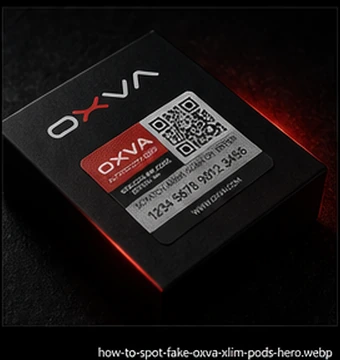
- Packaging and print quality
- Product finish and fit
- Pods and replacement parts
- Where you bought it
Quick answer: the best first product-verification checks
If you want the simplest route, these are the first things worth looking at.
Check the packaging
Look at the print quality, wording, label placement and overall finish of the box before anything else.
Check the product itself
The device or pods should feel cleanly made, properly finished and consistent rather than rough or cheaply put together.
Check the fit
If the pods or parts sit badly, feel loose or connect awkwardly, that matters more than many people realise.
Check where it came from
A weak seller, strange listing or unrealistic price can change how much confidence you should place in everything else.
Use the path that matches what is bothering you most
Once you know what feels off, the next page becomes much easier to choose.
How to Check if Your OXVA is Genuine
Use this when the whole product feels questionable and you want a calm, practical guide to checking the box, finish, fit and buying source.
How to Use the OXVA Authenticity Code
Use this if the pack includes a code and you want to make sure you are using it properly and reading the result sensibly.
How to Spot Fake OXVA XLIM Pods
Use this if your main concern is not the device itself but whether the replacement XLIM pods look genuine and fit properly.
What usually causes people to start checking a product more closely
Most concerns start with one or two small things that do not quite feel right.
The box looks off
Print quality, branding, wording or labels can be the first thing that makes someone slow down and look more carefully.
The product feels poor
If the finish, feel or build quality is lower than expected, that is a good reason to stop and check more carefully.
The pods do not sit right
A bad fit, awkward connection or parts that feel wrong in use can be one of the clearest practical warning signs.
The seller now feels doubtful
Sometimes the product is only half the story. The listing, the price or the place you bought from can matter just as much.
If you still feel unsure, keep these checks together
Product verification works best when you look at the full picture instead of chasing one tiny detail.
What helps most
- Looking at the box and product together
- Comparing the finish with what you expected
- Checking how pods or parts fit in practice
- Thinking honestly about where it came from
- Using the code as a support check rather than the only check
What makes people go wrong
- Trusting one printed detail too much
- Ignoring a poor fit because the box looks fine
- Ignoring the seller because the product looks mostly okay
- Assuming the code settles everything on its own
- Carrying on just because the product has already been opened
What to do if your confidence is still low after the first checks
If you have looked everything over and it still does not feel right, the next step is usually simple: stop guessing and move to the page that matches the real concern.
Use the support FAQ
Best if you are no longer sure whether the issue is authenticity, setup, pods or a wider after-purchase concern.
Use the manuals hub
Best if the product itself now seems fine and the real issue is simply setup, charging or everyday use.
Use the compatibility guide
Best if the problem is actually about choosing the right pod or understanding which parts fit your device.
Common questions about OXVA product verification
Quick answers for people who want the clearest first step.
What is the best first step if I want to verify an OXVA product?
Start by checking the packaging, the product finish, the fit of any pods or parts, and where you bought it. That usually gives you the clearest first answer.
Should I use the authenticity code or check the product first?
Use both, but do not rely on the code alone. The packaging, build quality and buying source still matter just as much.
What if the product still feels wrong after the first checks?
If your confidence is still low, move to the page that matches the real concern, such as the genuine-check guide, fake pod guide or support FAQ.
What if I am not sure what the real problem is?
Start with the broader checks on this page first, then use the more specific guide that matches what still feels off.
What if the issue seems to be the pods?
If the concern is really about replacement pods, fit or whether they look genuine, the fake pod guide is usually the best next step.
What if the product seems fine and I just need help using it?
Then the manuals hub is usually the better route, because the real issue is likely setup or everyday use rather than verification.
Start broad, then move to the page that matches what you find
Product verification does not have to be complicated. The simplest path is usually the best one: check the box, check the product, check the fit, think about where it came from, then use the guide that fits what still feels wrong.